Items
Every item Casino Creator uses with its picture, which ones you can leave out, and the ox_inventory, QBCore and qs-inventory formats.
Add these to your inventory's items before you start the script, and copy their pictures into your inventory's image folder. Keep the names exactly as they are.
| Item | Label | What it is for |
|---|---|---|
gg_casino_chip_white | White Casino Chip | The $10 chip, one of the five chips Casino Creator starts with. |
gg_casino_chip_black | Black Casino Chip | The $100 chip. |
gg_casino_chip_purple | Purple Casino Chip | The $500 chip. |
gg_casino_chip_yellow | Yellow Casino Chip | The $1,000 chip. |
gg_casino_chip_orange | Orange Casino Chip | The $5,000 chip. |
gg_casino_chip_green | Green Casino Chip | The chip Add Chip adds, $10,000 to start. |
gg_casino_chip_red | Red Casino Chip | A spare chip item for a seventh chip. |
gg_casino_chip | Casino Chips | The single chip of One Chip, kept for servers that already use it. |
gg_casino_ticket | Casino Slip | What a slot machine's CASH OUT prints. Using it holds it out to show what it pays. |
gg_casino_machine | Casino Machine | A cabinet for a player casino. Using it picks a game and sets it down. |
gg_casino_table | Casino Table | A table for a player casino. Using it picks a game and sets it down. |
gg_casino_crate | Casino Crate | A crated machine from Casino Creator 1.0.0. Using it sets the machine down. New machines come as a Casino Machine. |
gg_casino_tablet | Casino Tablet | The tablet for the people who own or work at a casino, and for buying a first machine or table. |
gg_casino_wheel | Prize Wheel | A prize wheel for a player's own business. Using it sets it down. |
gg_casino_receipt | Gift Receipt | What a Service prize on a wheel gives. Using it shows what was won and how to redeem it. |
The chip values are the defaults: change them, their colors and their items under Chips in Configuration. Any chip item can take any value and color: its name only sets what the inventory calls it.
Pictures
The pictures ship in gg_casino/!SETUP/IMAGES, one PNG per item, named after the item.
 | White Casino Chipgg_casino_chip_white |
 | Black Casino Chipgg_casino_chip_black |
 | Purple Casino Chipgg_casino_chip_purple |
 | Yellow Casino Chipgg_casino_chip_yellow |
 | Orange Casino Chipgg_casino_chip_orange |
 | Green Casino Chipgg_casino_chip_green |
 | Red Casino Chipgg_casino_chip_red |
 | Casino Chipsgg_casino_chip |
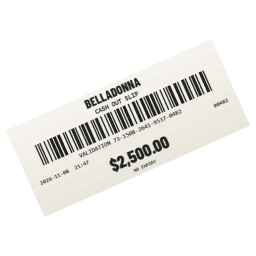 | Casino Slipgg_casino_ticket |
 | Casino Machinegg_casino_machine |
 | Casino Tablegg_casino_table |
 | Casino Crategg_casino_crate |
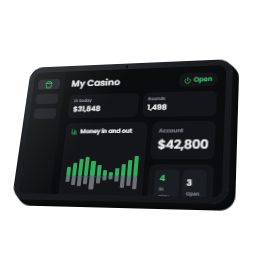 | Casino Tabletgg_casino_tablet |
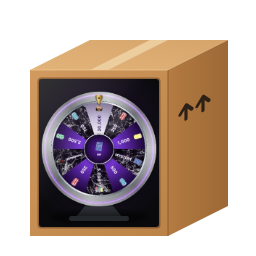 | Prize Wheelgg_casino_wheel |
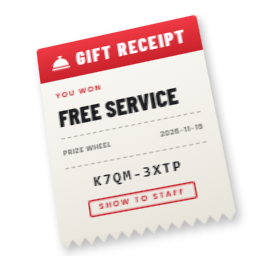 | Gift Receiptgg_casino_receipt |
Copy every file in IMAGES into your inventory's image folder:
| Inventory | Image folder |
|---|---|
| ox_inventory | ox_inventory/web/images |
| qb-inventory | qb-inventory/html/images |
| qs-inventory | qs-inventory/html/images |
| Any other | The folder its other item pictures are in |
Items you can leave out
The five chips Casino Creator starts with, and any chip you add, need their items. The rest can be left out:
- Red and green chips: only needed once you have six or seven chips under Chips.
gg_casino_chip: only for servers that already use One Chip. A new server can skip it.gg_casino_ticket: without it, CASH OUT at a machine pays cash instead of printing a slip, and the cage cannot cash or sell slips.gg_casino_machineandgg_casino_table: without them, players cannot have machines or tables of their own. Turn Player Casinos off as well.gg_casino_crate: only for crates players still hold from 1.0.0. A new server can skip it.gg_casino_tablet: without it, nobody can buy or run a player casino, and a job casino's staff cannot work from the tablet. A job casino's boss still has the Boss Menu at its Boss Desk.gg_casino_wheel: without it, players cannot buy prize wheels for their business. Turn Business Wheels off as well.gg_casino_receipt: without it, do not use Service prizes on any wheel: a winner would never get their receipt.
The script does not sell the Casino Tablet anywhere. Add gg_casino_tablet to one of your shops, or give it to the players who run casinos.
Item formats
Casino Creator works with any inventory gg_lib supports. The items come in three formats: copy the one yours uses.
| Format | Where the items go | Guide |
|---|---|---|
| ox_inventory | ox_inventory/data/items.lua | ox_inventory format |
| QBCore | qb-core/shared/items.lua | QBCore format |
| qs-inventory | qs-inventory/shared/items.lua | qs-inventory format |
Qbox servers use the ox_inventory format. Inventories that read QBCore's shared items use the QBCore format. An inventory with an item list of its own: add the same names, labels, weights and pictures there, with one of these formats as the guide. Supported inventories lists every inventory Casino Creator works with.