A self-driving FiveM robotaxi system featuring a one-of-one CoilCab vehicle, a fully interactive center-screen tablet, a dedicated phone app, three driving modes, synced YouTube, radio, and live GPS navigation.
CoilCab is a complete autonomous robotaxi system for FiveM, built around a one-of-one custom electric cab that drives itself. Riders book through a dedicated phone app, watch their cab approach on a live map, and step into a two-seat wing-door cab that pulls up to the curb beside them. Inside, a fully interactive center-screen tablet puts the entire trip at their fingertips: live GPS navigation, an arrival countdown, three driving modes from Normal to Mad Max, synced YouTube, GTA radio stations, and personal cab themes that light up the headlights, underglow, and cabin. With upfront fares, favorites, ride history, ratings, extensive in-game settings, 9 languages, and QBCore, QBOX, and ESX compatibility, CoilCab brings a premium robotaxi experience to your server.
One-of-One CoilCab Vehicle
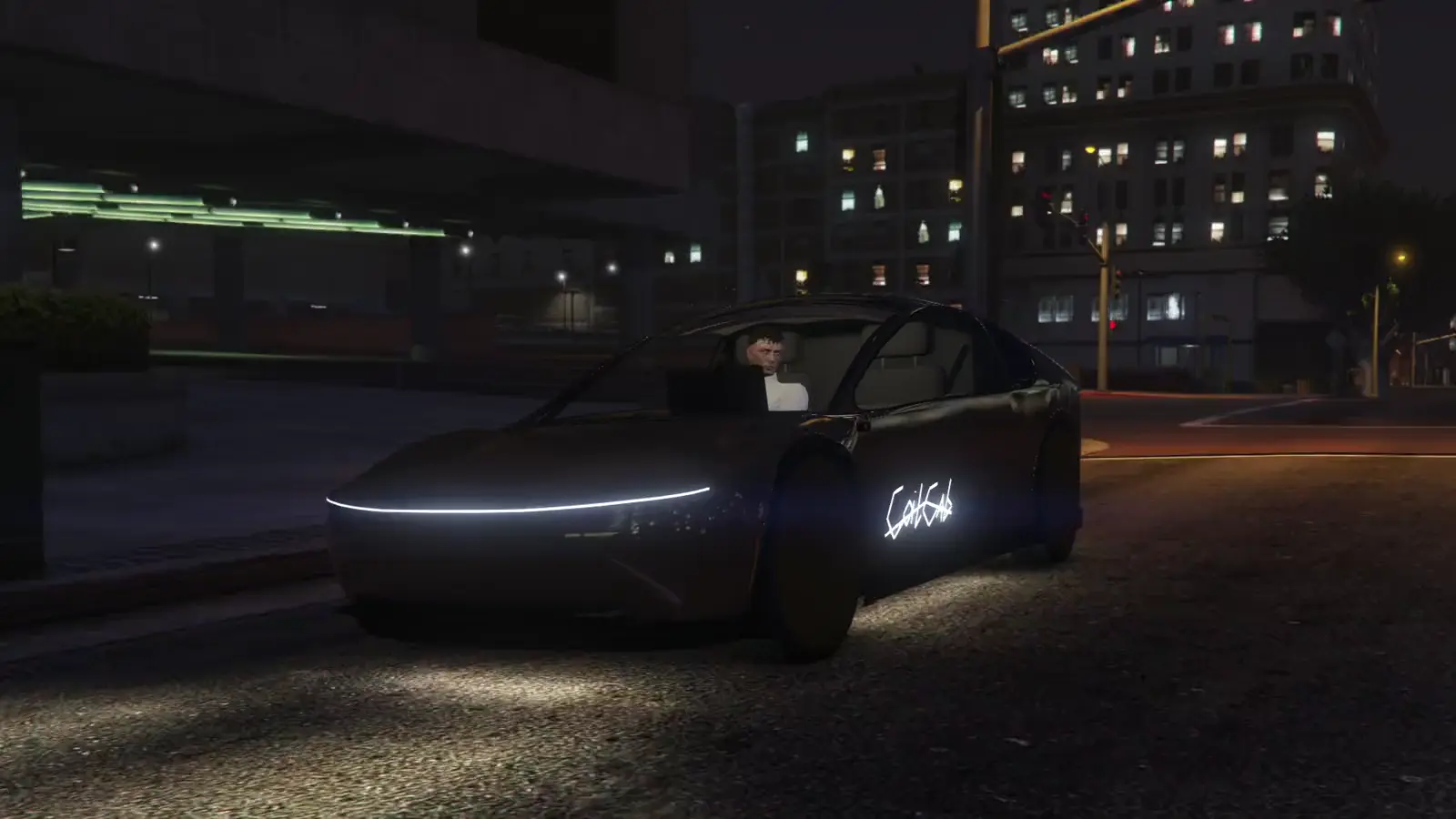
CoilCab ships with its own one-of-one vehicle: a two-seat electric cab with wing doors, custom handling, and a signature gold finish. The model and all of its vehicle data are streamed with the resource, so there is no separate vehicle pack to install, and it never spawns in regular traffic, keeping every CoilCab on your streets part of the service.
Fully Self-Driving
Every CoilCab is driven by an invisible AI driver. The cab spawns nearby, out of sight where possible, navigates real roads to the rider, and drives them to their destination while reading the road ahead, slowing for junctions and bends, easing off in the rain, and braking smoothly on arrival. If a cab or its driver is ever lost, the system automatically rebuilds it and puts riders back in their seats, and a dropped route is picked right back up.
Interactive Center-Screen Tablet
Press E from a passenger seat and the camera glides onto the cab's center screen, a live, fully interactive tablet rendered directly on the dashboard. Riders use it with their mouse, with aim assist on every button, to follow their trip, switch driving modes, play music and videos, and control the cab's lights and horn. Voice and chat keep working while riders use the screen, and anyone standing nearby can see what's playing on it.
Smart Curbside Pickups
CoilCab plans every pickup so the cab arrives on the rider's side of the road and stops at the curb beside them. When there's no curb nearby, it finds the closest drivable lane, including parking lots and alleys, and can even cross open ground to reach the rider. Doors open automatically as the rider approaches, and they board with a single key press.
Three Driving Modes
Riders choose how their cab drives, right from the tablet and at any point during the ride. Normal obeys traffic lights and cruises at a relaxed city pace, Quick picks up the speed while staying traffic-aware, and Mad Max turns the cab into a racer that overtakes and runs red lights while still avoiding cars and pedestrians. Every mode costs the same, and all three speeds are configurable.
Live GPS Navigation
The tablet shows a live map that follows the cab and draws its route to the destination, with the arrival time, a live time-left countdown, and the remaining distance on the Trip screen, plus a live speedometer. Riders always know exactly where they are and when they'll arrive.
Synced YouTube Player
Paste any YouTube link to play it on the cab's screen, with a queue of up to 20 videos, saved videos, and recently watched videos. Playback is kept in sync for both riders, with pause, skip, restart, volume, and full-screen or mini-player views.
Hear It From The Street
Videos playing in a CoilCab can be heard by players outside it, growing quieter with distance and through closed doors, walls, and other vehicles. Open or broken windows let more sound through, making every cab feel like a real part of the world. Hearing distance and volume are adjustable, and the feature can be turned off entirely.
Personal Cab Themes
Riders personalize their CoilCab with themes that color the headlights, neon underglow, and cabin lights, plus controls for each light. Themes are saved per character and applied before the cab even arrives, while server owners can configure up to 6 themes and a fleet of paint colors that gives every cab its own look.
Dedicated CoilCab Phone App
The CoilCab phone app handles the full rider journey: tap anywhere on the map, search, or pick a suggested place or favorite, then see the pickup wait, arrival time, and fare before booking. Riders can follow their cab live, honk the horn or flash the lights to find it, change destination mid-ride, rate completed trips, and browse their recent rides with full receipts.
Popular Phone Support
The CoilCab app works automatically on lb-phone, sd-phone, yseries, yphone, and yflip-phone through GG Lib, with no extra setup required. A ready-made install kit for JPR Phone is also included, and ride notifications fall back to standard game notifications whenever needed.
Upfront Fares & Payments
Every ride shows its fare before booking, and that price is locked in. Riders are only charged from their bank when the ride actually starts, cancelling before then is free, and changing destination mid-ride only bills the difference. Base fare, price per kilometer, and maximum trip distance are all configurable to fit your server's economy.
Advanced In-Game Settings
Configure CoilCab through GG Lib's in-game Script Studio instead of digging through configuration files. Adjust fares, fleet size, pickup and boarding timings, driving speeds, suggested destinations, themes, paint colors, outside audio, and more, all directly inside FiveM.
Ready to Drag & Drop
CoilCab is built as an all-in-one package. The one-of-one vehicle, its handling and vehicle data, the phone app, the tablet interface, and every system shown here are included, and the database tables create themselves on first start for a fast and streamlined setup.